
Audio
Audio projects are time-based recordings of sounds (voice, music, noises, etc.). These sounds mix to make a soundscape (i.e., the audio version of a landscape). This page also covers the audio components of videos (see the Video Resources page for specifics on visuals).
There are many different kinds of audio projects that you can create. Below you can find some examples of the common video projects that we work with and a short description:
- Podcasts are digital audio recordings that are mostly spoken-word (similar to a radio talk show or an interview), but may include music clips, sound effects, and soundscapes. Professional podcasts are typically made available for downloading to a computer or mobile device. Most podcasts are a part of a series or a subscribable channel.
- Audio Essays explore topics using spoken text, audio interviews, archival recordings, music, environmental sounds, and/or sound effects. They can be structured using the conventions of written argument and evidence, narrative devices, and poetic and experimental structures. Unlike podcasts, audio essays are typically one-off or solo projects rather than a part of a series.
- Soundscapes (or “acoustic ecology”) are the recording of an acoustic environment. They can consist of ambient noises, speaking/talking, music, etc. Soundscapes create an immersive environment for the listener, allowing them to experience a place or event through listening rather than seeing. Soundscapes can be used in other forms of audio, such as audio essays, audio documentaries, audio blogs, and audio narratives. Soundscapes are commonly used in podcasts and other forms of audio essays to help listeners feel the environment in which the recording is made.
- Audio Documentaries involve researching a non-fiction topic and focusing in on micro-stories, as opposed to broader issue pieces or news stories. They often rely on conventional narrative structures, adding recorded and site-specific sounds to enhance the listener’s experience. Audio documentaries can be a podcast series or one-off projects.
- Audio Blogs are a form of online journaling. They typically function similarly to a radio talk show, primarily using spoken word. The goal of blogs is to elicit listener interaction via comments on an online platform, such as SoundCloud. Audio blogs are often classified as “podcasts.” However, audio blogs are less likely to use extensive music or sound effects.
- MP3 Blogs are a subset of audio blogs that use a similar blog setting to publish music or remix recordings online.
- Audio Narratives, sometimes also called “radio plays,” tell a story using only sound. Narratives can be fiction or non-fiction and use spoken word, music, and sound effects to immerse the listener in a different world for a short time.
Need to find music or audio for your project? Check our Stock Databases page for recommended audio/music databases.
Audacity: This program is an industry standard for audio editing, commonly used by radio stations and video bloggers. As an open-source program, Audacity is a free download for Mac, Windows, or Linux. It is also available to UW–Madison students, faculty, and staff via the UW–Madison computer labs, both in the lab and for checkout. You can record directly into Audacity using a built-in or connected microphone, and can also import audio from other sources. Audacity projects are saved as an AUP file, but must be exported to another format, such as MP3, WAV, or WMA, for external listening; however, exporting to MP3 requires an additional free plug-in.
GarageBand: This is an advanced audio editing software mostly designed for music, with the ability to create synthesized music and percussion in a multi-track overlay. It can also be used for voice-based projects such as podcasts. GarageBand is available for free on all Mac and iOS devices via the App Store. GarageBand is also available on the Macs in the UW–Madison computer labs, both in the labs and for checkout.

Adobe Audition: This program is another industry standard for audio editing and works seamlessly with Adobe Premiere Pro to edit audio within a video. Adobe Audition is available to UW–Madison students, faculty, and staff via the UW–Madison computer labs. This software can be used on both Windows and Mac machines. Like other Adobe products, Audition has a steeper learning curve than the free software programs above, but it offers more features. You can record directly into Audition using a built-in or connected microphone, and you can also import audio from other sources. Audition projects (called Sessions) are saved as SESX files, which can also be exported to various file formats for external listening (including MP3 and WAV).
Please note that DesignLab does not offer any equipment checkout. Below is a list of places on campus where you can check out equipment
College Library
College Library provides UW–Madison students, faculty, and staff access to a variety of equipment for making audio projects. Equipment checkout is done at College Library’s Second Floor Service Desk (right next to DesignLab!) any time the library is open.
Types of Equipment Available: Microphones, Voice Recorders, Laptops
Checkout Length: 7 days
Checkout Process: You will need your Wiscard to check out equipment.
Questions? See the College Library equipment checkout website here for more information.
College Library
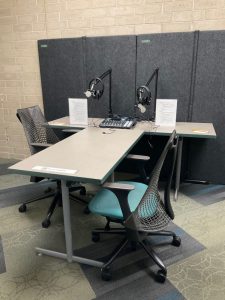
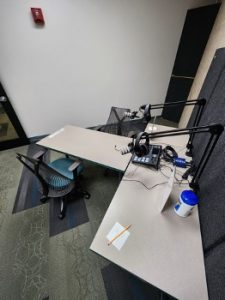
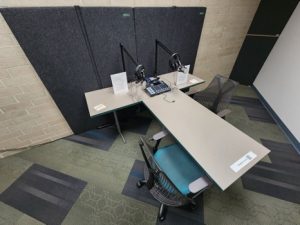
In addition to equipment, College Library also has a recording booth in the second-floor computer lab (near DesignLab!), which is available for reservation any time the library is open.
Reservations: 1 hour at a time via the Study Room Reservation System
Questions? See the College Library recording booth page for more information.
Please note: DesignLab does NOT operate this recording booth; the Library Technology Group does.
Audio Tips and Tricks
There are numerous sound design choices you should keep in mind to produce effective, professional-sounding audio projects. Bear in mind that these design choices would greatly affect your project’s overall mood, tone, and atmosphere.
Helpful tips:
- Make sure your subject’s voice is clear and audible. In podcasts and audio essays, narration and dialogue typically contain your main message. You can ensure your subject is audible by considering the position of the microphone or recording device relative to them.
- Use the noise around you. In most audio projects, use ambient sound to establish your setting or location, convey your story’s overall mood and tone, and emphasize your main point. Use realistic sound effects to convey information that cannot be seen.
- Use silence. Silence may also be used to redirect attention, create impact, or offer moments of reflection.
- Keep the sound balanced. When combining multiple elements in your soundscape, be sure to control the levels between these different sources. You want to create a sound hierarchy that supports your concept. Your main message—typically the vocal track— should be the clearest.
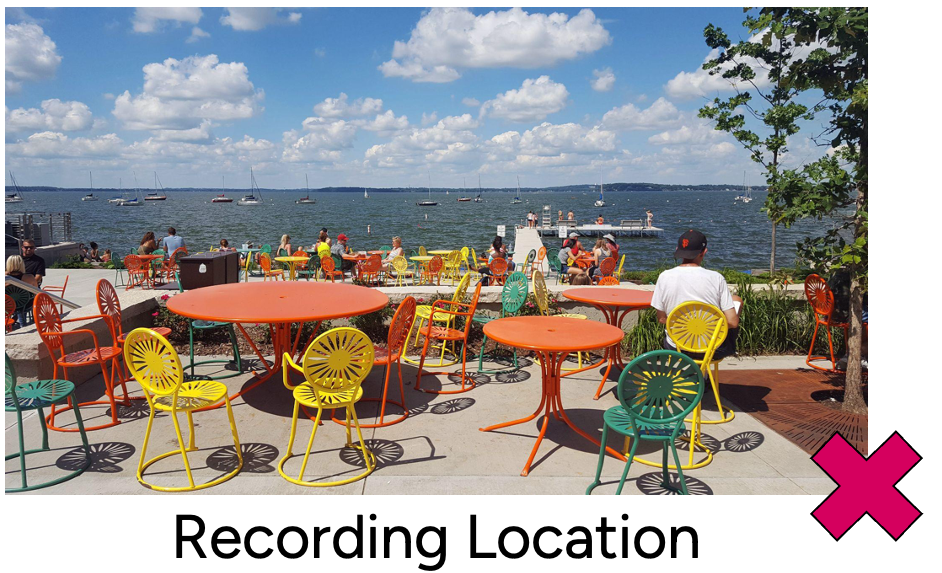
The #1 mistake an amateur sound recordist can make is failing to listen for potentially destructive or damaging sounds.
Here we have a picture of the Terrace. Visually, it’s a great setting, but the audio is tough. Wind, crowd noises, loud boats, and poor acoustics make this a less-than-ideal recording location. You don’t want to ruin all your hard work by recording an interview on the Terrace, for example, and playing it back later only to hear that every other word is covered up by the wind whipping past the microphone. It is impossible to fully eliminate background noise during editing if it is picked up in the recording. Instead, try to find a quiet location and avoid windy days and noisy areas.
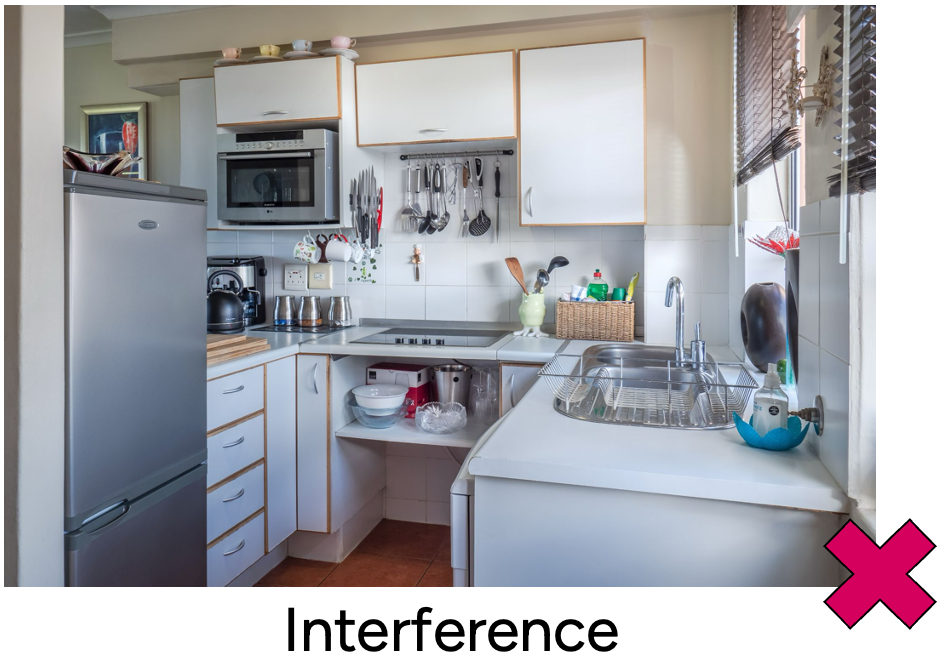
Avoid locations with electrical interference that can cause hissing or buzzing; if you need to record in such a location, always remember to unplug or turn off those noise sources. For example, fridges are notorious culprits of this kind of noise, as they intermittently hum very loudly and then go quiet, creating inconsistent background noise. Similarly, you’ll want to turn off things like air conditioners, fans, or noisy heating units.
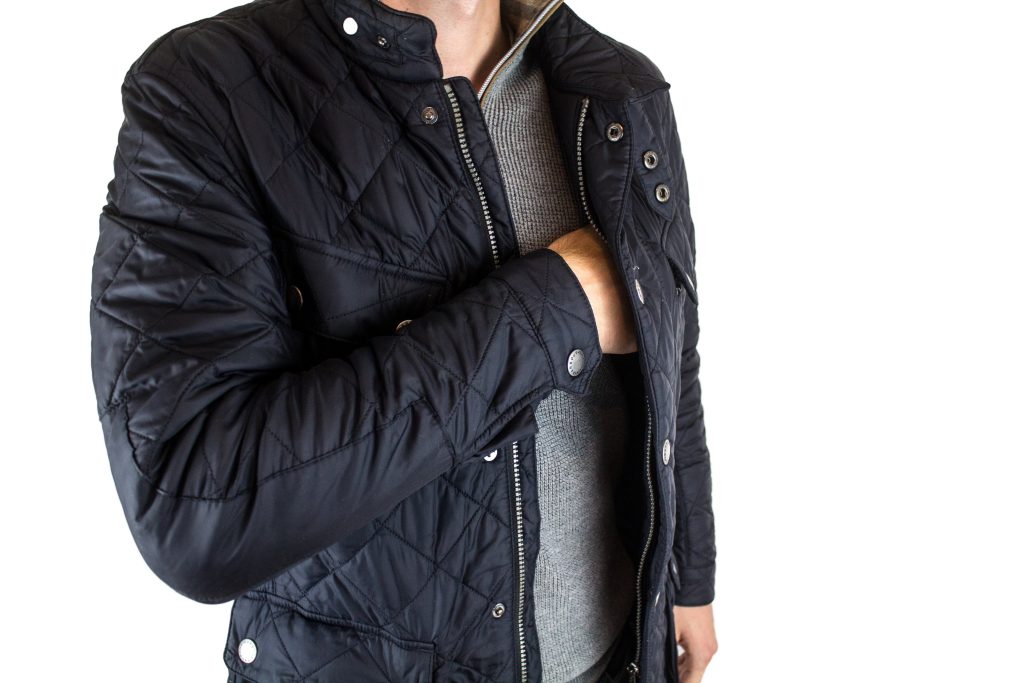
Rustling clothes and clacking shoes are some things to avoid wearing when recording, especially if you like to move around or fidget. Winter jackets (and most jackets, really) make a lot of noise as you move, as do fabrics like nylon, denim, and starched shirts. Additionally, if you’re going to be walking, you want to make sure the noises of your footfalls are not caught in the recording.
Also, be sure to avoid wearing noisy jewelry. This iconic clip from Singin’ in the Rain shows the characters watching the first movie they tried to make with sound after the era of silent pictures, and we see all the sound issues they didn’t know to watch out for:
Student Examples
Podcast
Audio Essay
Soundscape
Audio Documentary
Other Examples
Podcast Examples
Article Link
Audio Narrative
War of the Worlds by Orson Welles (listed by David Webb)
Soundscape
Percussion Sound Scape – Wind, Rain, Birds, & More
Soundscape
Industrial Soundscape (by bw064053)